
How to Search Cases by Name
Real County's documented starting point is the Real County iDocket guest endpoint. Type in a complete name if you have it. Partial names work too, though they pull in unrelated matches. Before trusting any row as your case, check the court. Also check the case category. A name that matches proves little on its own.
- Open the guest search and select Texas, then Real County.
- Enter the litigant's last name. Add the first name when known.
- Review the court, category, party role, filing date, and case number shown in possible matches.
- Open the available detail, or use the case number when account access permits.
- Contact the correct clerk if the result is absent, unclear, restricted, or lacks the needed document.
Registered tools add real muscle: case category, case type, court, litigant role, attorney, Soundex, and filing or disposition date ranges. The free guest route does not include all of those filters.
Real County iDocket Search Fields
iDocket's own help pages list every search field in detail. The guest form shows only some controls, though. That gap matters. A free name search can surface a case number at no charge. Case history and the advanced filters, though, belong to subscribers.
| Field label | Type | Required | Notes |
|---|---|---|---|
| State and County | Dropdowns | Unspecified | Select Texas and participating Real County |
| Litigant last name | Text | Unspecified | Partial names are allowed |
| Litigant first name | Text | Optional or unspecified | A fuller name narrows results |
| Category | Dropdown | Optional | All, Civil, or Criminal in advanced search |
| Court and case type | Dropdowns | Optional | Exact Real choices were not exposed |
| Soundex | Checkbox | Optional | Finds similar-sounding surnames |
| Filing and disposition dates | Date fields | Optional | Use MM/DD/YYYY ranges |
The public iDocket interface is shown in the assigned image.

Treat this screen as an index route. It does not prove that every old file, image, or restricted Real County record is online.
How to Search by Case Number
A case number is the identifier the court stamps on a file. It is sometimes called a cause number. Names get shared and misspelled; numbers do not. The case number is the strongest key for a clerk request. iDocket treats case-number search as a subscriber function. The county publishes no local format or code legend.
Use the exact number printed on the notice, citation, pleading, or earlier docket result. Keep every letter, punctuation mark, and leading zero unless the search tool says otherwise. Never guess a year, court code, or sequence pattern. If iDocket refuses the number, read it aloud to the clerk. Name the court on the document too.
The missing format legend is itself a limit worth respecting. A guessed number can send you to the wrong court entirely. The clerk can confirm the identifier. The clerk can also say whether an older file still carries a legacy number.
Route Real County Case Lookups
Real County has no single records desk. The iDocket participation list names the District Clerk, County Clerk, County Court, 38th District Court, Justice of the Peace, and both JP precinct groupings. Pick the court first. Then go to that court's clerk.
| Case family | Custodian | Direct fallback |
|---|---|---|
| District civil, criminal, family, juvenile | Real County District Clerk | 830-232-5202; realcl@hctc.net |
| County misdemeanor, probate, county court | Real County County Clerk | 830-232-5202 |
| Traffic, eviction, small claims, debt | Justice of the Peace clerk | 830-232-6630 |
| City ordinance or Class C matter | Municipal clerk, if applicable | Ask the city; no current local OCA entry was found |
A name can come up empty just because you searched the wrong court. For district setting questions, call the 38th District Court at 830-278-3913.
What a Case Search Shows
Use a Real County guest result to identify the case and its court, nothing more. Subscriber case history digs further. iDocket lists parties, attorneys, services, filed events, financial transactions, clerk-issued process, notices, correspondence, and document images where available. The exact labels on a public result depend on the account level, so expect variation.
| Case number | The court identifier used to locate and request the file. |
|---|---|
| Court and county | The tribunal and county tied to the result. |
| Category or type | A broad Civil or Criminal category and, where available, a narrower type. |
| Parties and roles | Names tied to the case as plaintiff, defendant, petitioner, or respondent. |
| Filing and disposition dates | Dates the case or event was filed and an outcome was recorded. |
| Case History | The ordered event record, which may be behind subscriber access. |
| Document image | A scanned or e-filed item, possibly fee-gated, redacted, and watermarked. |
A docket index is not a certified case file. When you need official proof, ask the clerk for an authenticated copy.
Missing Real County Case Documents
Locating a Real County case does not mean its pleadings, orders, or judgment can be opened online. The docket entry and its document image are separate products. iDocket keeps detailed history and images in the subscriber layer. A document may be paper-only, restricted, or simply outside the vendor's coverage.
Write down the court, case number, filing date, and the exact title or date of the item you want. Do this before calling. Ask the clerk whether the record is public. Ask whether a plain or certified copy exists, and what fees and delivery options apply. The Real County District Clerk uses PO Box 750, Leakey, TX 78873, and fax 830-232-6888. Its current email is realcl@hctc.net, not the older Gmail address.
Note: A free docket printout shows activity. Only the clerk can issue the authenticated copy an official use demands.
County vs Statewide Case Search
re:SearchTX is Texas's statewide search and document system. Its guide walks through Cases, Filings, Text in Documents, and Hearings tabs, plus filters, detail links, export, and saved searches. Registration or eFileTexas credentials come into play. How much Real County material the public side actually reaches is not stated, so verify locally before relying on it.
| Point | Real County iDocket | re:SearchTX |
|---|---|---|
| Best starting use | Local guest name search | Statewide cross-check |
| Known scope | Named Real courts participate | Participating Texas material |
| Search depth | Guest index; deeper subscriber tools | Cases, filings, document text, hearings |
| Key limit | Not every record or image is promised | Criminal document coverage has a known gap |
| Official record | Clerk-held file controls | Clerk-held file controls |
The Texas Judicial Branch puts it plainly: no single trial-court case-search system replaces calling the right local clerk.
Real County re:SearchTX Cross-Check
You may not know which county or court holds a case. The statewide portal helps most then. It cannot prove that a missing Real County case does not exist. The 2024 Texas Judicial Council report describes broad material. But it also notes a historical coverage boundary and an exclusion of criminal case records from the document corpus. So treat local JP and criminal coverage with special care. The official re:SearchTX entry point shows the portal itself and what it offers.
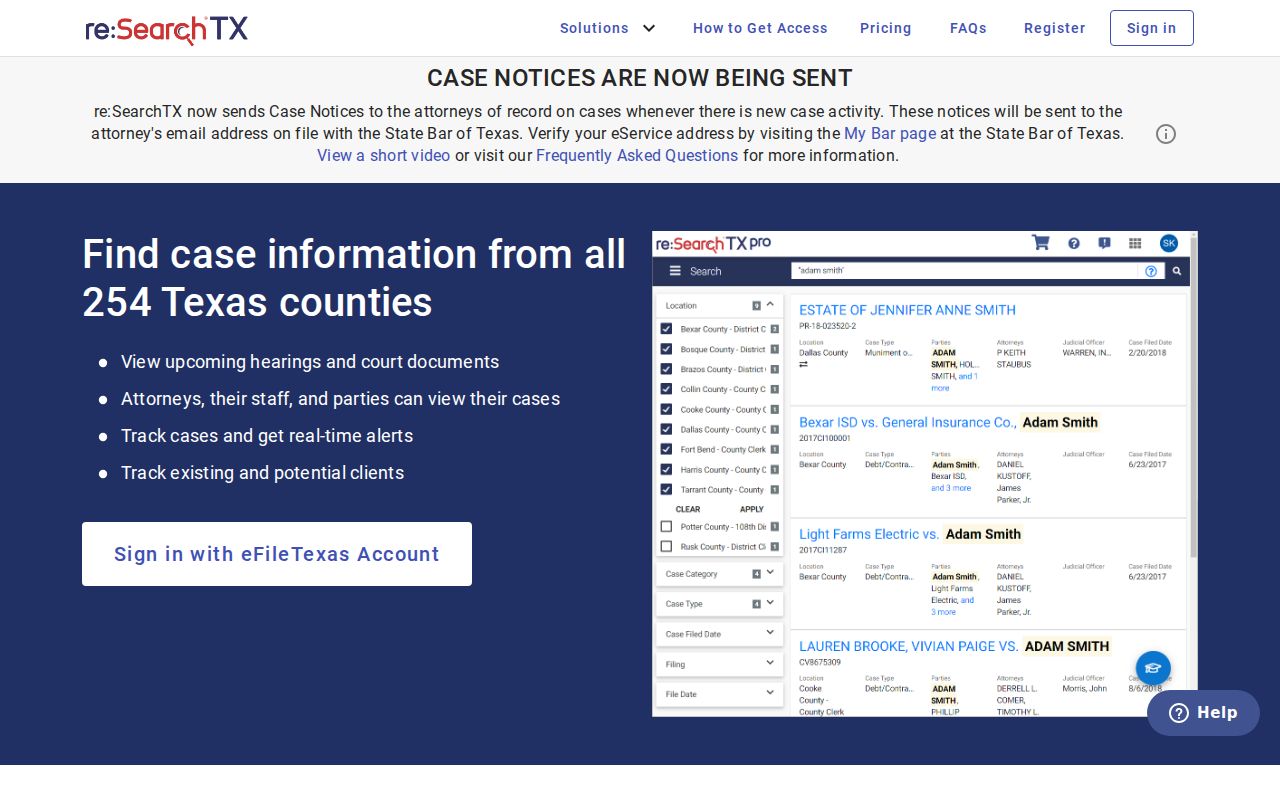
That login screen adds a second way to look, nothing more. The Real County District Clerk, County Clerk, and JP still keep the official records. A re:SearchTX account is not a master key to every court docket. What you can filter, export, or save depends on your account status. The portal's current rules play a part too.
Real County Filing Is Not Search
eFileTexas.gov delivers paperwork into Texas courts. That is its whole job. It is not a Real County case lookup for the public. So a filing made there can still leave you reaching for iDocket, re:SearchTX, or the clerk to read the resulting docket. Each tool does different work. File with eFileTexas. Hunt for a Real County case by name on iDocket. Then get the official file from the clerk who holds it. A receipt proves only that a transaction happened. It does not prove that the clerk accepted, indexed, or disposed of the case. Knowing this also spares you a common dead end. Logging into a filing account will not always surface a public case someone else filed.
Restricted Cases and Access Rules
When a Real County case will not show up, the reasons can pile up fast. Maybe you asked the wrong clerk. Maybe you misspelled a name. Maybe you hit records still in paper storage, a portal gap, an outage, a restricted document, or a seal. Absence alone does not mean sealed. Texas Rule 12 governs access to judicial administrative records. Texas Rule of Civil Procedure 76a presumes civil court records are open and sets the standards for sealing them. Texas law gives juvenile information and personal identifiers extra shielding. re:SearchTX never displays confidential or sealed material. On iDocket's end, document images redact Social Security numbers and carry a retrieval watermark. Finding something in a public docket is not a license to copy protected data.
Ask the custodian. The clerk can state whether a case is public, restricted, unavailable online, or subject to a lawful access procedure.
Follow that procedure. Do not run alternate name searches to slip past a restriction. If the line between a docket index and a requested case document blurs, the Real County court record search can sort it out.